METHOD 1
Using the Central Registration Clearance.
To verify student registration through Central Registration, log in to Alpha and follow the steps below.
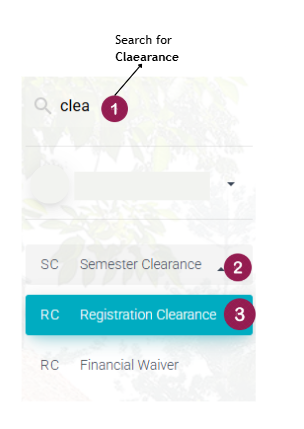
1. On the Alpha search menu, search for Clearance at 1. Click on Semester Clearance at 2, and select Registration Clearance at 3, as indicated in the image below. This will open the Registration window.
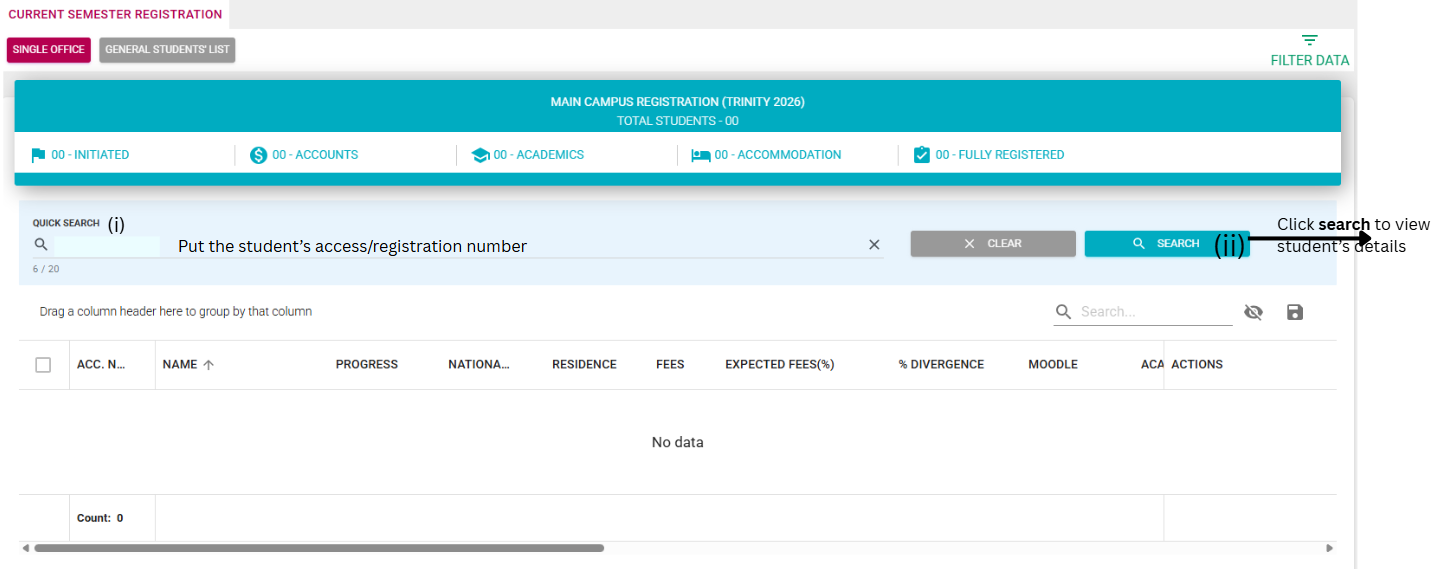
2. At the registration window, you can search for the student directly (Quick Search) or by loading the class list.
a) Quick Search
Enter the student's access or registration number at (i) and then click search at (ii), to load the student's registration information.
b) Loading the class list.
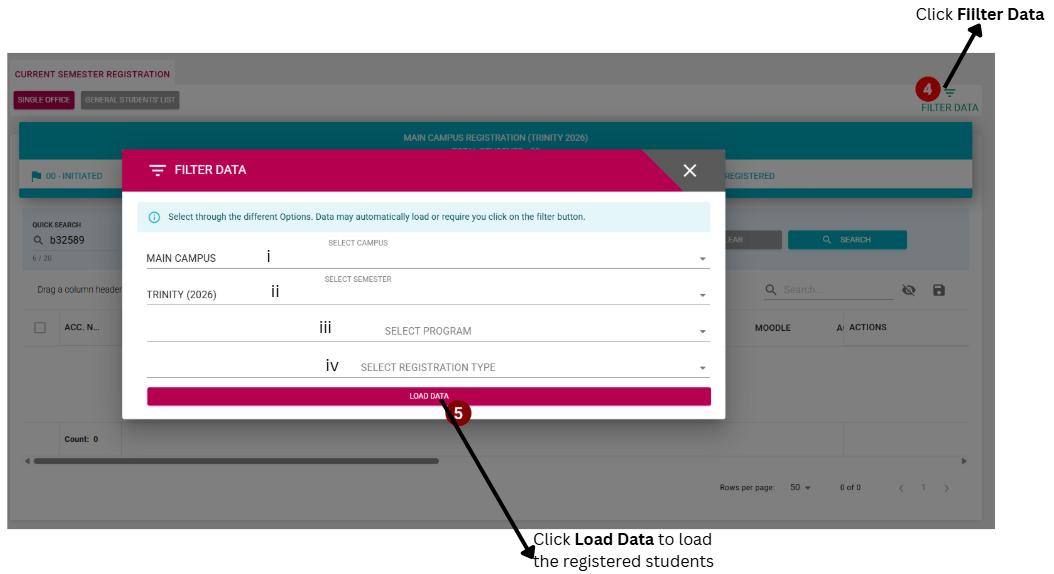
To load the class list, click the filter button
at 4 and fill in information (i) to (iv), and click Load Data at 5 to load the registered or initiated students.
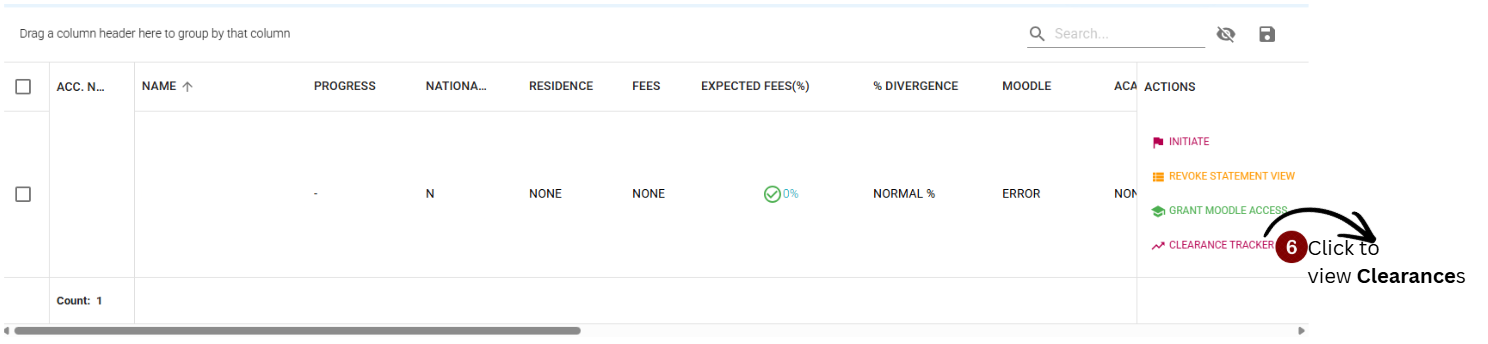
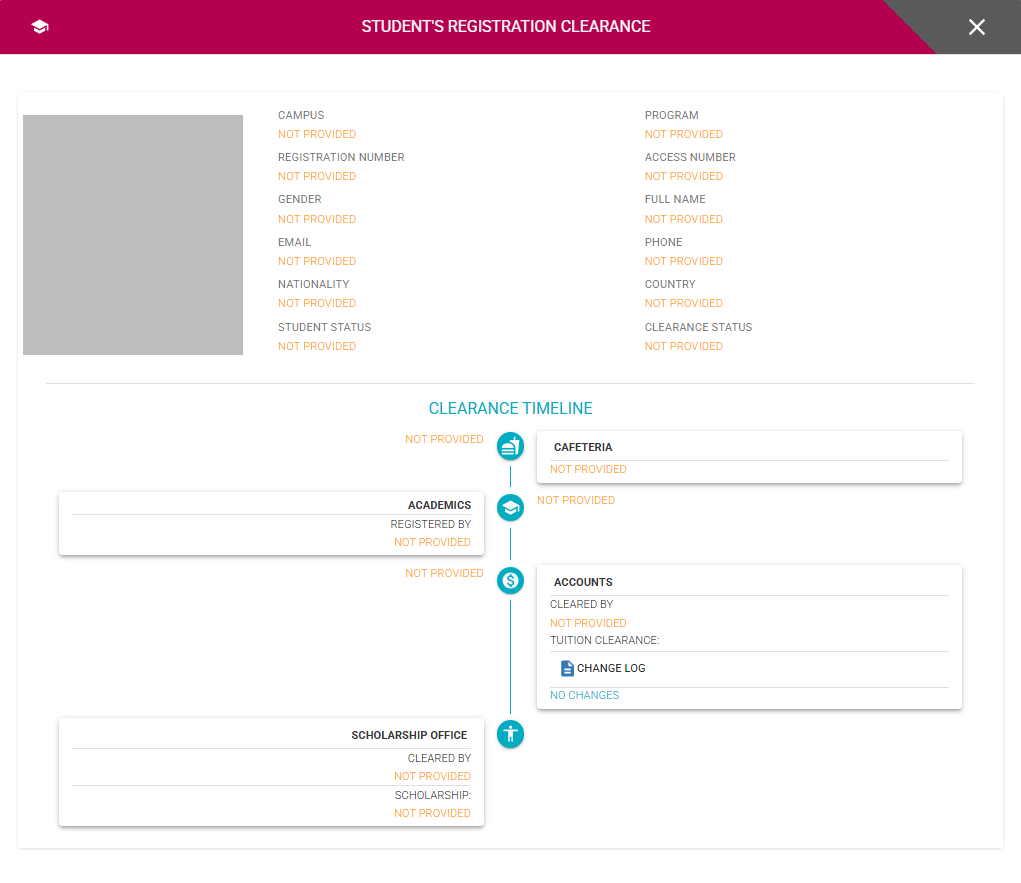
3. To view whether a student has been cleared by the necessary offices, click CLEARANCE TRACKER at 6, to open the clearance tracker.
METHOD 2
Using Student Profiles.
To verify student registration using student profiles, log in to Alpha and follow the steps below.
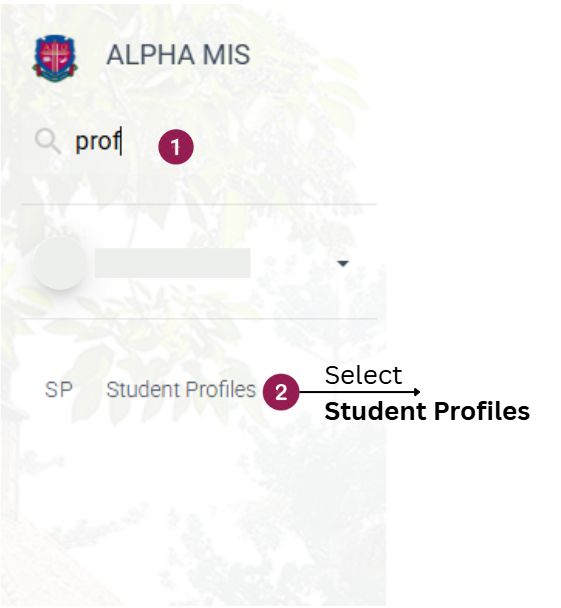
1. On the Alpha search menu, search for Student Profiles at 1 and select Student Profiles in the menu at 2 to open the profiles window.
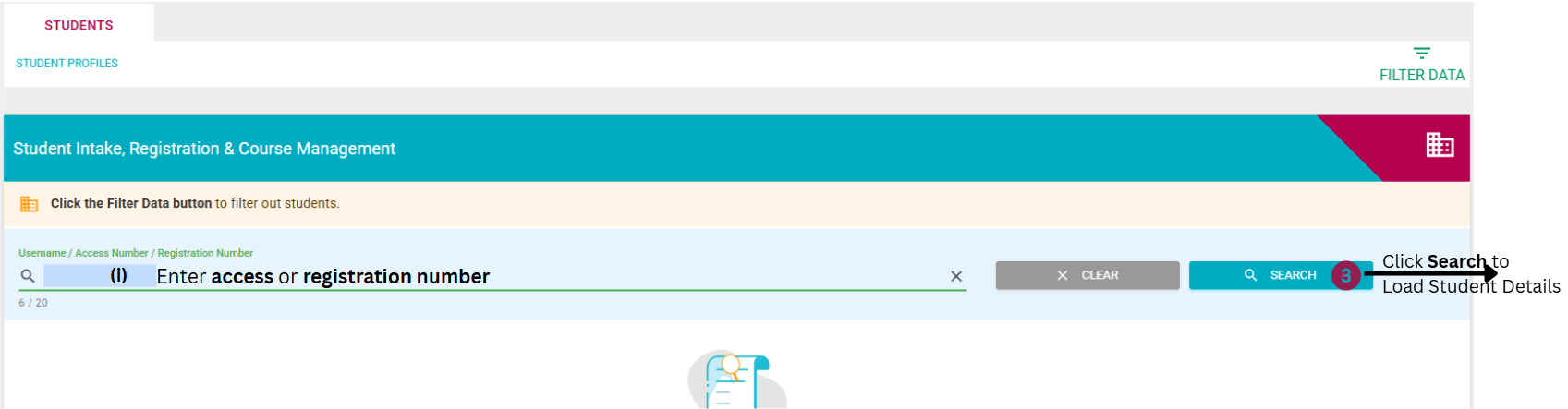
2. At the Student Profile window, you can search for the either student directly (Quick Search) or by loading the entire class list.
a) Quick Search
Enter the student's access or registration number at (i) and then click search at 3, to load the student's information. After loading the student's information, proceed to step 3.
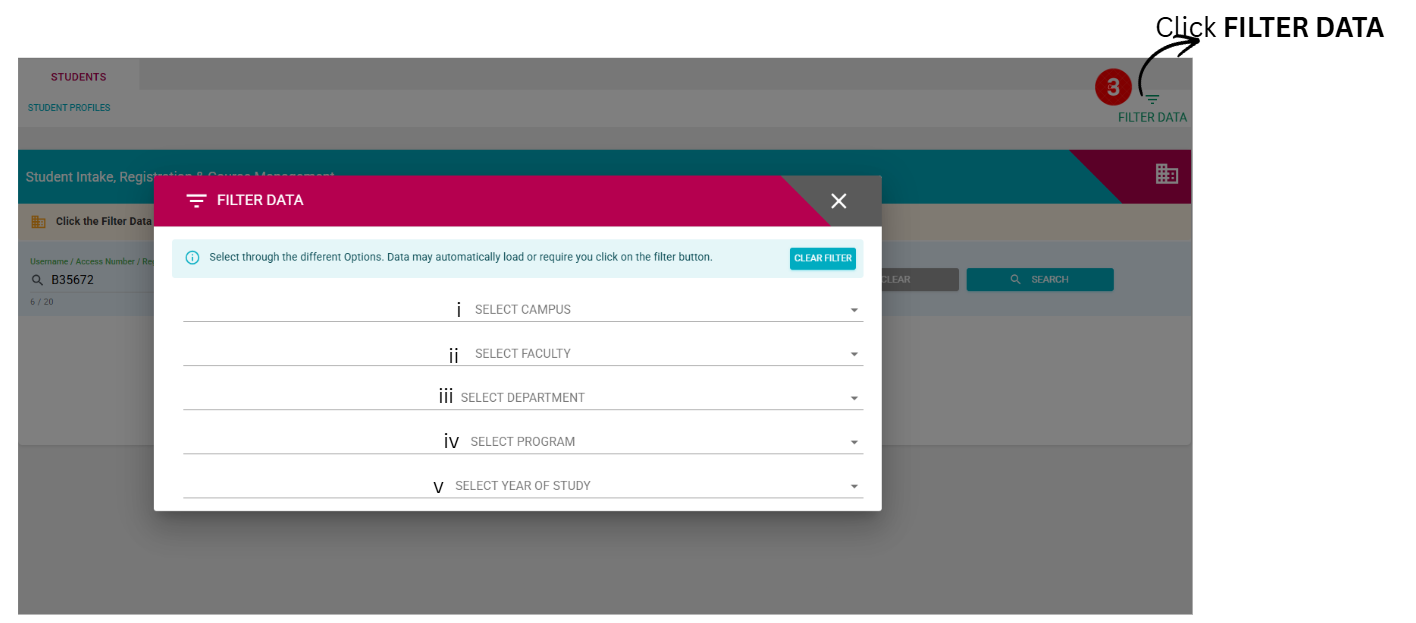
b) Loading the class list.
To load the class list, click the filter button
at (i) and fill in information (ii) to (vi), to load the registered or initiated students.
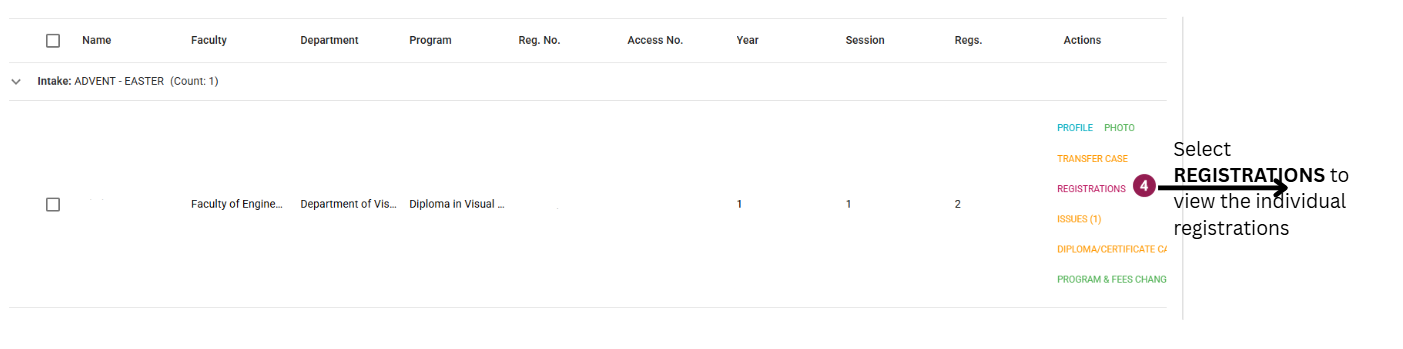
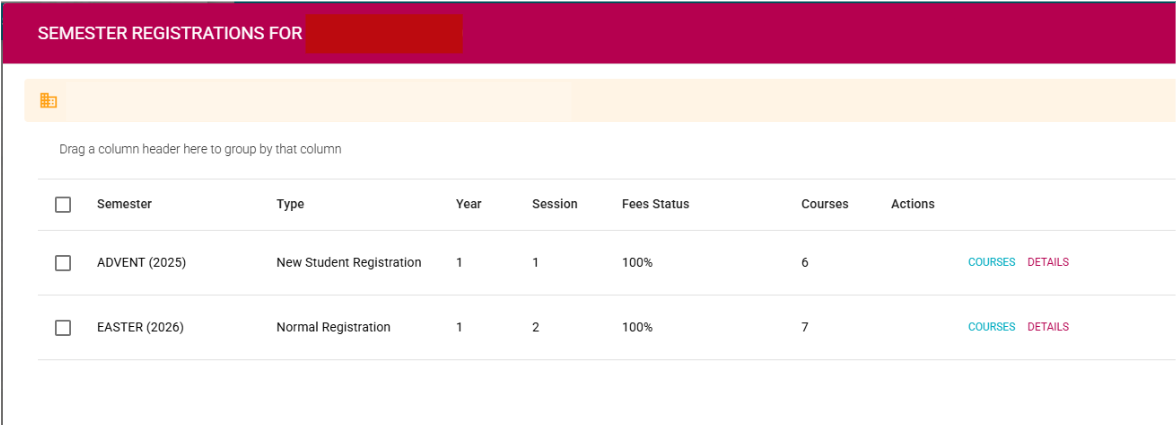
3. Click on Registrations at 4 to view the different student's registrations.
PS:
To view the course the student did in a particular semester, click on Courses.
NOTE:
Using Central registration also allows you to view whether the student has been cleared at the various clearance office, while using student profiles allows you to also view the different course units that the student may have done in the different semesters and the tuition clearance percentage.